What is an eSIM? Simply explained.
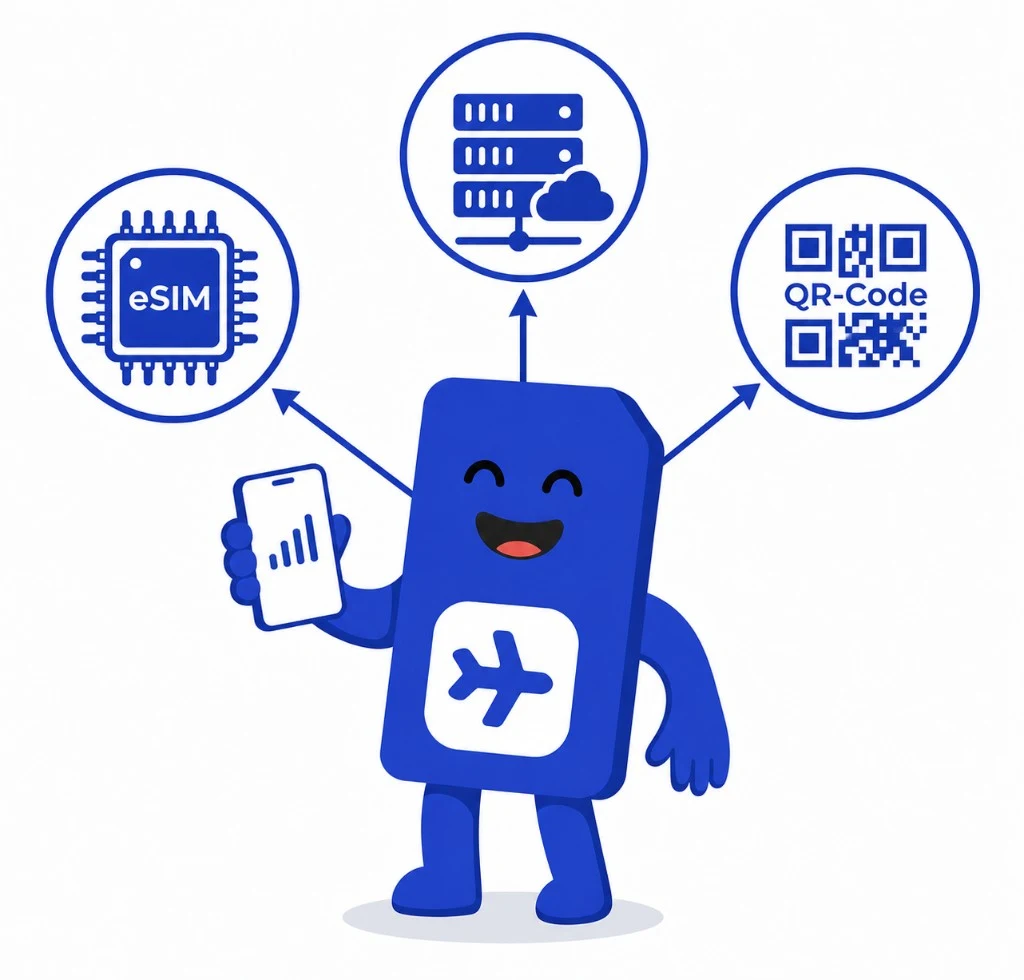
An eSIM is the digital successor to the classic plastic SIM card. It is permanently built into your smartphone, tablet or smartwatch and is activated via a QR code; no physical card is required.

Quick answer
An eSIM (Embedded SIM) is a small chip permanently soldered into your device that takes over the role of a classic SIM card. Instead of inserting a plastic card, you load your mobile profile digitally via a QR code or app. Practically every modern iPhone, Samsung Galaxy and Google Pixel supports eSIM, which is especially useful while travelling because you can switch between providers in seconds.
What does eSIM mean?
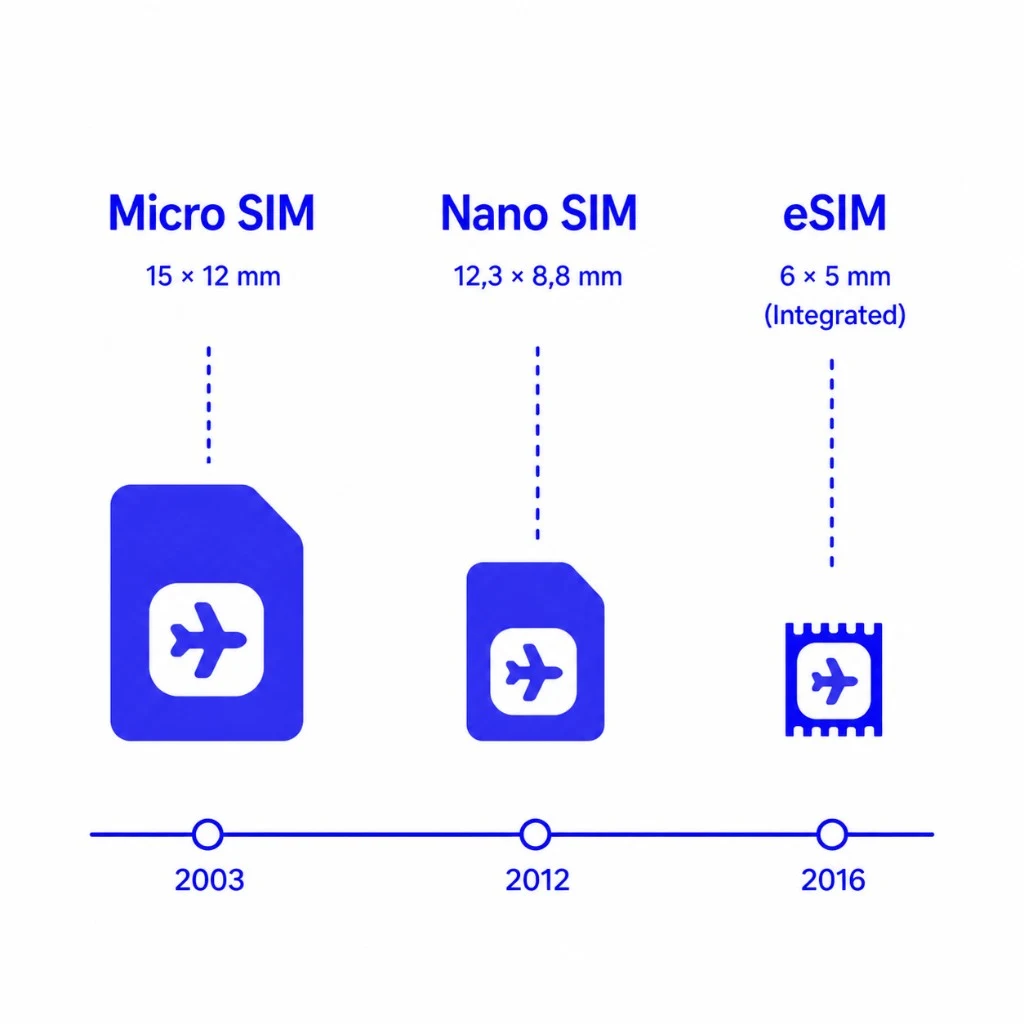
eSIM is short for "Embedded SIM", a built-in SIM. Unlike a classic SIM card you slot into your phone, an eSIM is a tiny chip that is already soldered onto the mainboard of your device. The functionality is identical, only the form factor changed.
Technically the eSIM is an eUICC chip that implements the GSMA standard for Remote SIM Provisioning. Instead of carrying your provider data on a piece of plastic, that data is loaded onto the chip as an "eSIM profile", usually delivered as a QR code or via an app.
The big upside: an eSIM chip can store several profiles in parallel. You can run your home contract and a cheap travel data plan on the same phone and switch between them in the settings.
You will also see the spellings "e-SIM", "E-SIM" or "eSIM card". They all refer to the same thing: a digital, embedded SIM.
Key facts
- eSIM = "Embedded SIM", a small chip permanently fitted in the device
- Same function as a plastic SIM: calls, SMS, mobile data
- Multiple profiles can live on a single device
- Digital activation via QR code or carrier app in under a minute
- Standardised by the GSMA in 2016, fully cross-vendor
How does an eSIM work?
An eSIM follows the same principle as a physical SIM card: the only difference is that your mobile profile lives on a chip inside the device instead of on a plastic card. From purchase to surfing the web typically takes less than a minute.
1. Buy an eSIM plan
You order an eSIM plan online, either from your regular carrier or from a dedicated travel-eSIM provider such as sim.do. You will receive a confirmation email with a QR code or activation link.
2. Scan the QR code
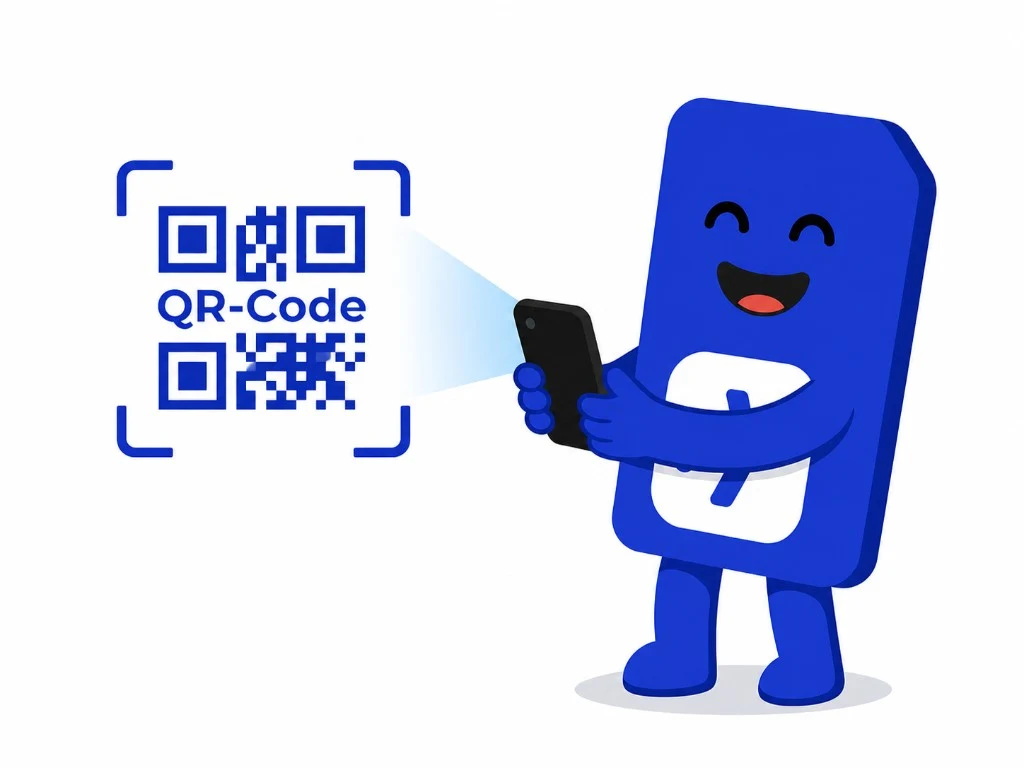
Open the settings of your phone, go to "Mobile data" and choose "Add eSIM". Your phone scans the QR code and downloads the eSIM profile automatically.
3. Activate the profile
Once the profile is installed you can name it (for example "Travel Turkey") and decide whether it should be your default line for calls or data. Many devices keep multiple eSIM profiles installed at once.
4. Browse and call
Your device automatically connects to the matching mobile network. From here on, everything works just like with a classic SIM card, minus the plastic.
Under the hood: SM-DP+ and Remote SIM Provisioning
When you download an eSIM profile, your phone talks to a so-called SM-DP+ server (Subscription Manager — Data Preparation Plus) operated by your carrier. The server prepares your encrypted profile and delivers it to the eUICC chip in your phone, in a process called Remote SIM Provisioning (RSP). It is GSMA-certified and uses the same cryptographic standards as physical SIM cards.
eSIM vs. physical SIM card: direct comparison
Both kinds of SIM serve the same purpose. In day-to-day use though, the eSIM offers clear advantages in terms of convenience, speed and travel flexibility.
| Feature | eSIM | Physical SIM card |
|---|---|---|
| Form factor | Digital, built-in | Plastic card (Nano/Micro/Mini) |
| Delivery | Instant, by email (QR code) | Postal delivery (1 to 5 business days) |
| Activation | ~60 seconds | Insert card + PIN |
| Multiple plans in parallel | Yes, many profiles can be stored at once | Only with a dual-SIM device |
| Switching plans on device | A tap in the settings | Open SIM tray, swap card |
| Theft / loss protection | Bound to device, can be remotely disabled | Card can be lost or stolen |
| Move to a new phone | Re-download or use eSIM transfer | Just move the card |
| Device compatibility | Only eSIM-capable devices (mostly 2018+) | Practically every mobile device |
| Travel friendliness | Buy local plan in advance, online instantly abroad | Buy on arrival or pay roaming |
Bottom line
For most people the eSIM is the better choice today: faster, more flexible and safer. Only people with older phones, or those who swap their SIM between many devices, are still better off with a classic plastic SIM.
Advantages of an eSIM
The eSIM brings convenience, speed and flexibility, both at home and on the road.
Ready to go instantly
Order, scan QR, surf, no waiting for the postman, no plastic packaging.
Multiple profiles per device
Personal, business and travel plans can all live on the same phone and switch with a tap.
Perfect for travel
Skip expensive roaming and buy a cheap local data plan before you board the plane.
More secure against theft
An eSIM cannot be physically removed from the device, making SIM-swap attacks much harder.
More environmentally friendly
No plastic card, no shipping, no packaging, one chip serves countless plans.
More room inside the phone
Without a SIM tray, manufacturers can fit bigger batteries or improve waterproofing. The iPhone 17 Air ships entirely SIM-tray-less.
Disadvantages of an eSIM: honestly
To make a real decision, you should also know the downsides:
Switching phones takes more steps
Instead of moving a card you have to re-download or transfer the eSIM profile. Some carriers charge a fee for this.
Only works with eSIM-capable devices
Older phones (pre-2018) usually do not support eSIM. Always check compatibility before buying.
Activation needs an internet connection
You need Wi-Fi or an existing data connection to download the eSIM profile.
Not yet available everywhere
In some countries smaller carriers do not support eSIM yet, but specialised travel-eSIM providers like sim.do close that gap.
Which phones and devices support eSIM?
Practically all premium smartphones from the last five years support eSIM, and more and more mid-range models are following. Here is a snapshot of guaranteed eSIM-capable devices:
Important: on some devices the eSIM hardware is built in but locked depending on the sales region or carrier. iPhone 14 and newer models sold in the US for example shipped without a SIM tray entirely.
The fastest way to check yourself: open Settings → Mobile data. If you see "Add eSIM" or "Add mobile plan", your phone supports eSIM.
Selection of popular eSIM-capable devices (2026)
- Apple: iPhone XS / XR and any newer model (incl. iPhone 17, 17 Air, 17 Pro / Pro Max)
- Samsung Galaxy: S20 / S21 / S22 / S23 / S24 / S25 plus Galaxy Z Flip / Fold from gen 2
- Google Pixel: Pixel 3 and any newer model (Pixel 3a, 4, 5, 6, 7, 8, 9, 10)
- Apple Watch: Series 3 and newer (LTE), Apple Watch Ultra
- Samsung Galaxy Watch: from Active 2 LTE
- iPad: iPad Pro / Air / Mini (cellular models)
- Notebooks: selected Microsoft Surface, HP, Lenovo and Dell models
Is your device on the list?
Our continuously updated database lists 500+ smartphones, tablets, smartwatches and notebooks with detailed eSIM compatibility info.
How do I activate an eSIM?
Activation is almost identical on every modern smartphone: these steps get you online in under a minute:



- 1
Connect to Wi-Fi
You need an internet connection to download the eSIM profile.
- 2
Open Settings
Settings → Mobile data → Add eSIM / Add mobile plan.
- 3
Scan the QR code
Hold the camera over the QR code from your confirmation email or enter the activation code manually.
- 4
Name the profile
Give it a clear name (e.g. "Spain 2026") and decide whether it should be your default line.
- 5
Enable data roaming
For travel eSIMs, enable data roaming for that profile. There are no extra fees because the plan is local already.
Step-by-step installation guide
We prepared a detailed walkthrough with device-specific tips and troubleshooting.
How much does an eSIM cost?
The eSIM itself is always free, you only pay for the plan, that is for calls, SMS or mobile data. Pricing therefore depends on the carrier, the country and the desired data volume.
Major carriers charge the same price for an eSIM plan as for a physical SIM. Travel-eSIM providers like sim.do sell country- and region-bundles without contract commitments.
A sim.do travel eSIM with 1 GB of data in Europe starts at just a few euros. For longer trips, regional bundles ("Europe 30 countries", "Asia 15 countries") are usually significantly cheaper than your home carrier roaming.
Compared with other travel eSIM offers, sim.do usually comes out among the cheaper options — comparing plans pays off.
eSIM for travel: prepaid data instead of roaming bill shock
The clearest win is logistics: lock in a prepaid data profile before you fly, activate it once, and stay on local carriers abroad—instead of juggling plastic SIM swaps at every destination. As soon as you land and turn off airplane mode, your travel eSIM connects to a local mobile network. You can open a map, call an Uber or message your hotel right away.
Why a travel eSIM is worth it
- Up to 90% cheaper than data-roaming with major home carriers
- No language barrier at airport SIM-card desks
- Your home number stays reachable in parallel (dual-SIM)
- Works in 200+ countries and regions worldwide
- No contracts, pay only for the days you actually travel
Ready for your next trip?
Pick a destination in the catalogue, checkout securely, and get activation details by email—each plan states exact data allowances and validity.
Why choose sim.do for travel?
Compare sim.do with your carrier’s roaming and buying a local SIM abroad
| Criteria |  | Roaming | Local SIM |
|---|
| No roaming costs | |||
| Instant activation | |||
| No physical SIM required | |||
| Transparent pricing | |||
| Support 24/7 | |||
| No contract binding | |||
| Works in multiple countries | |||
| Activate before travel | |||
| Keep your phone number | |||
| No ID required | |||
Exact data and validity appear on each plan page after you choose a destination. |
Are eSIMs safe? A look at security & privacy
According to the GSMA and independent security researchers, eSIMs are at least as safe as classic SIM cards, and arguably safer because they cannot be physically removed and inserted into another device.
What happens with your data?
Your carrier profile is delivered through an encrypted GSMA-certified SM-DP+ server to the eUICC chip in your phone. The same cryptographic standards apply as with physical SIM cards. SIM-swap attacks, where fraudsters reroute SMS-OTPs to a stolen SIM, are significantly harder with an eSIM.
Reputable providers like sim.do (legally Simtasy OÜ in Estonia) only store the data they need to provide the service and fully comply with GDPR.
Frequently asked questions about eSIMs
Everything you need to know, including all topics from the Google "People also ask" boxes.
What is an eSIM in simple terms?
An eSIM is a digital SIM card built directly into your device. Instead of inserting a plastic card you load your mobile profile via a QR code or app. Function and security are identical to a physical SIM, but you can switch plans faster and store multiple profiles at once.
How does eSIM work?
You buy a plan from a carrier or travel-eSIM provider, receive a QR code by email, scan it in your mobile-data settings and your phone downloads the encrypted eSIM profile, usually in under 60 seconds.
What is the difference between an eSIM and a SIM?
A classic SIM is a physical plastic card. An eSIM is a built-in chip that loads digital profiles from the internet. Functionally identical, but the eSIM is faster to activate, supports multiple profiles in parallel and needs no shipping.
How do I check if my phone supports eSIM?
Open Settings → Mobile data: if you see "Add eSIM" or "Add mobile plan", your phone supports eSIM. Alternatively dial *#06# and look for an EID next to the IMEI. You can also check our 500+ device list and self-check tool.
How much does an eSIM cost?
The eSIM itself is free, you only pay for the data plan. Travel eSIMs at sim.do start at just a few euros for 1 GB. Carriers usually charge the same price for an eSIM plan as for a physical SIM.
Can I use an eSIM and a physical SIM at the same time?
Yes, most modern phones (iPhone XS+, Galaxy S20+, Pixel 4+) support dual-SIM mode where one physical SIM and one eSIM can be active simultaneously.
How do I switch from a SIM card to an eSIM?
Your carrier can issue an eSIM for your existing plan, usually via the customer portal. You receive a QR code, install it like any new eSIM and the old physical SIM is automatically deactivated. Some carriers charge a one-time fee.
Does an eSIM work abroad?
Yes, eSIMs work worldwide. You can either roam with your existing eSIM or buy a dedicated travel eSIM for your destination, usually significantly cheaper.
What happens to my eSIM when I get a new phone?
An eSIM is bound to the device. On a new phone you re-activate the profile, typically through the carrier portal. Apple, Samsung and Google offer eSIM transfer features that move profiles between devices.
Are eSIMs safe?
Yes, at least as safe as classic SIM cards. They cannot be physically removed, which makes SIM-swap attacks much harder. Activation uses GSMA-encrypted data transfer.
What are the advantages of an eSIM over roaming?
A travel eSIM is often 70 to 90% cheaper than data roaming with a home carrier outside the EU and gives you full cost control via fixed daily packages.
How do I install an eSIM on iPhone?
Settings → Mobile data → Add eSIM → Scan QR code. From iPhone 13 you can also use eSIM Quick Transfer between two iPhones over Bluetooth. See our installation guide for step-by-step instructions.
Buy an eSIM and be online in seconds
200+ destinations, transparent prices, instant QR code activation make mobile data abroad with sim.do finally simple.